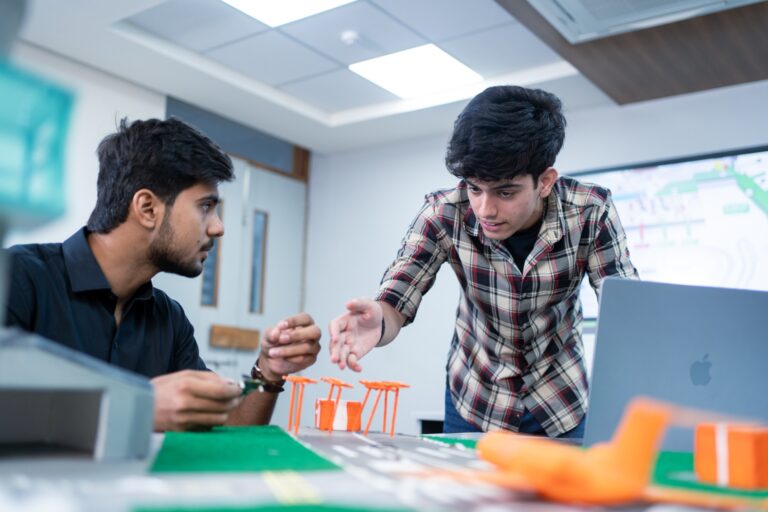
Discover application scaling strategies, essential pre-launch checks, user feedback collection, and app maintenance practices for IT students.
According to a 2026 report, the new Aadhaar App crossed 21 million downloads within three months. (PIB) This shows how quickly people can start using a useful mobile application.
For an IT student, building an app is an exciting achievement. But what happens when people outside the classroom start using it?
An app that works perfectly during a college presentation may face problems when hundreds of people use it. Pages may load slowly, unexpected errors may appear, and users may ask for features that were never planned.
This is when students start understanding the real work behind app development.
Why Does App Development Become Different with Real Users?
During a college project, students usually test their applications in controlled conditions. They know how the app works and which buttons to press.
Real users behave differently.
Someone may enter incorrect information, close the app suddenly or use it on an older phone. These actions can reveal problems that students missed during testing.
For example, a student creates an attendance management app. During testing, everything works well. However, when many users try to mark attendance together, the application becomes slow.
This teaches an important lesson. Developing an app is not just about writing code. It is also about making sure the application works properly for different users.
What Problems Appear When More People Start Using an App?
Once an application starts receiving regular users, students may notice problems related to its speed, design and security.
Some common problems include:
- Slow Loading: The application may take longer to respond when many users access it together.
- Login Problems: Users may face difficulties signing in or recovering forgotten passwords.
- Unexpected Errors: Certain features may stop working on different devices.
- Data Security: Personal details must be protected from unauthorised access.
- Poor Navigation: Users may struggle to find important features.
Students must understand these problems before making changes.
A simple error report, user complaint or performance check can help them identify which area needs attention.
How Does User Feedback Improve a Student App?
Imagine a student develops a food-ordering app for a small canteen.
The student may feel that the application is simple to use. However, customers may find the menu difficult to read or the payment process confusing.
Such feedback helps developers understand what users actually need.
Students can collect feedback through short forms, conversations or application reviews. They can then study repeated complaints and decide which changes are necessary.
For example, if several users struggle to find the order history section, changing its location may improve the experience.
This process also teaches students that a good application should be designed around users, not only the developer’s preferences.
What Should Students Check Before Releasing Their App?
Before making an application available to real users, students should complete a few important checks.
- Test Different Devices: Check whether the application works on different screen sizes and operating systems.
- Protect User Information: Use secure login methods and avoid collecting unnecessary personal details.
- Check Application Speed: Test how the app responds when multiple users access it.
- Prepare Error Messages: Help users understand what went wrong and what they should do next.
Students should also keep a backup of important information and have a way to correct serious errors.
These steps help reduce avoidable problems after launch.
How Does Parul University Prepare Students for Real App Development?
Students interested in mobile applications can explore the Bachelor of Science in Information Technology – Honours at Parul University.
This four-year programme focuses on areas such as mobile computing, cloud-based deployment and scalable application development.
Students also learn about front-end and back-end development, user interface design and modern application frameworks.
Parul University provides practical learning opportunities through development labs, real-world projects, hackathons and internships.
These experiences help students understand how applications are created, tested and improved.
Learning about cloud integration and application development is particularly useful when students want to build apps that can support growing user activity.
Why Must Students Continue Improving an App After Launch?
Releasing an application does not mean the development work is finished.
Users may discover new problems or expect features that make their daily work easier. Students must review these requirements and plan suitable improvements.
For example, an app may initially support only basic bookings. Later, users may request booking reminders or cancellation options.
Instead of adding every feature immediately, students should study which improvements are useful and manageable.
They must also test new changes carefully so that existing features continue working.
This teaches students how application maintenance, planning and problem-solving become part of software development.
Where Does a Student Developer Go After the First App Launch?
The first real user can make a student look at their application differently. Every complaint becomes something to investigate, and every successful update brings a new learning experience.
Students who want to develop these skills further can explore the Bachelor of Science in Information Technology – Honours at Parul University and learn how to turn their app development interest into stronger technical knowledge.