Praneel Pandey, a B.Tech CSE student of Parul University, won Apple’s Global Swift Student Challenge 2026 in almost five months. This is also a proud moment, as he had never written a line of Swift and was selected among the top 350 worldwide in roughly five months. He did it in his first year, and he did it without owning a Mac.
The full story of that win, the eye-tracking game he built and the university lab that made it possible, is told in Parul University’s account of his Swift Student Challenge win. This is the other half of the conversation: what he would tell someone starting from zero.
Because the more useful question for most students is not how one person won a competition. It is how to get started with Apple development at all, in what order to learn things, how to use AI without becoming dependent on it, and where the whole field is heading. He now serves as Lead of the Swift Coding Club at Parul University, which means the roadmap below is not only the one he followed. It is the one he now helps other students follow.
This guide sets out his answers. It is a beginner’s roadmap from someone who was a beginner extremely recently, which is exactly what makes it worth reading.
How to Get Started With Apple Development: Start Small
Praneel’s first piece of advice is aimed squarely at the thing that stops most people before they begin: the sheer size of the ecosystem. Swift, SwiftUI, UIKit, ARKit, Xcode, the frameworks, and the design guidelines. Looked at all at once, it is paralysing, and he says so.
His instruction is to ignore almost all of it at the start. Do not try to survey the entire landscape. Begin with fundamentals, through something as ordinary as good introductory videos, and build from there. The goal of the first phase is not mastery; it is momentum. A beginner who tries to understand everything before writing anything writes nothing.
His own start was unglamorous in exactly this way. A senior pointed him toward the Swift Coding Club at Parul University; he cleared a two-step selection process to get in, and then spent four to five months on club activities while teaching himself further through online tutorials. Guided structure on one side, self-directed practice on the other, and no attempt to learn the entire ecosystem at once. That combination is what gave him a working grip on Swift as a language.
Do not try to understand the whole ecosystem before you write anything. Start small, build momentum, then widen.
What to Learn, and in What Order
Once the basics are in place, Praneel points to a specific set of frameworks as the working toolkit of an Apple developer. The order matters less than the progression from language, to interface, to specialised capability.
- Swift: the language itself and the non-negotiable foundation, documented by Apple’s Swift resources.
- SwiftUI: Apple’s modern framework for building interfaces, introduced through Apple’s SwiftUI documentation, and the layer where an app becomes something a user can see and touch.
- User experience (UX) design: not a coding skill, but one Praneel treats as core, because Apple’s evaluation rewards how an app feels to use, not only whether it runs.
- ARKit: Apple’s augmented-reality framework, documented at Apple’s ARKit resources, and the toolkit behind camera and spatial features, the same family of capabilities that powered his own eye-tracking game.
- SpriteKit and the game frameworks: for interactive and game-based apps, another route into building something engaging quickly.
The through-line in his list is that language and interface come first, and specialised frameworks like ARKit come once there is something to apply them to. A beginner does not need augmented reality on day one. They need Swift on day one and a reason to reach for ARKit on day forty.
Also Read: AmalPushp is the Google Gemini student ambassador at Parul University.
Solving the Access Problem: Hardware, Labs and Training
The obstacle nobody mentions in a learning roadmap is access. Apple development assumes Apple hardware, and that assumption stops a lot of students before the first tutorial. Praneel did not own a Mac. What he had instead was structured access: the Swift Coding Club, training through an Apple Authorized Training Center, and a month-long intensive in Parul University’s Apple Lab working hands-on with Apple tools and technology.
That sequence is worth noticing, because it is the practical answer to the most common reason students give up. He did not buy his way in. He used the equipment and structured training available to him, which is a reminder that the hardware question is a logistics problem to solve rather than a verdict on whether you can start. Solve it early, because everything in the roadmap above assumes you can actually run the software.
Using AI to Learn Development, Without Depending on It
Praneel belongs to the first generation learning to code alongside AI tools, and his position on them is more careful than either the hype or the panic. He uses them deliberately, and he draws a hard line about how.
His framing is that AI should be a learning companion, not a replacement for understanding. Tools such as ChatGPT and Gemini are, in his account, genuinely useful for learning concepts, clearing programming doubts and moving faster, and he recommends beginners use them for exactly that. What he warns against is the step after, letting the tool do the thinking, so the code gets written, but the understanding never arrives.
He also treats the tools as plural rather than singular. Different models have different strengths, he observes, and a developer can draw on more than one thoughtfully rather than treating any single tool as a complete answer to everything.
“Proper utilization of AI will help you a lot.” – Praneel Pandey
Underneath all of it he places two things no tool supplies: the ability to think through a problem in a structured way, and the ability to manage your own time. His broader recommendation for students is to build real technical ground in web development, Swift and SwiftUI, alongside a working understanding of artificial intelligence, rather than treating AI fluency as a substitute for the fundamentals. It is the difference between a student who uses AI to learn faster and one who uses it to avoid learning at all.
Treat AI as a learning companion, not a replacement for understanding. It should sharpen your logic, not stand in for it.
Future of Apple Development Through WWDC 2026
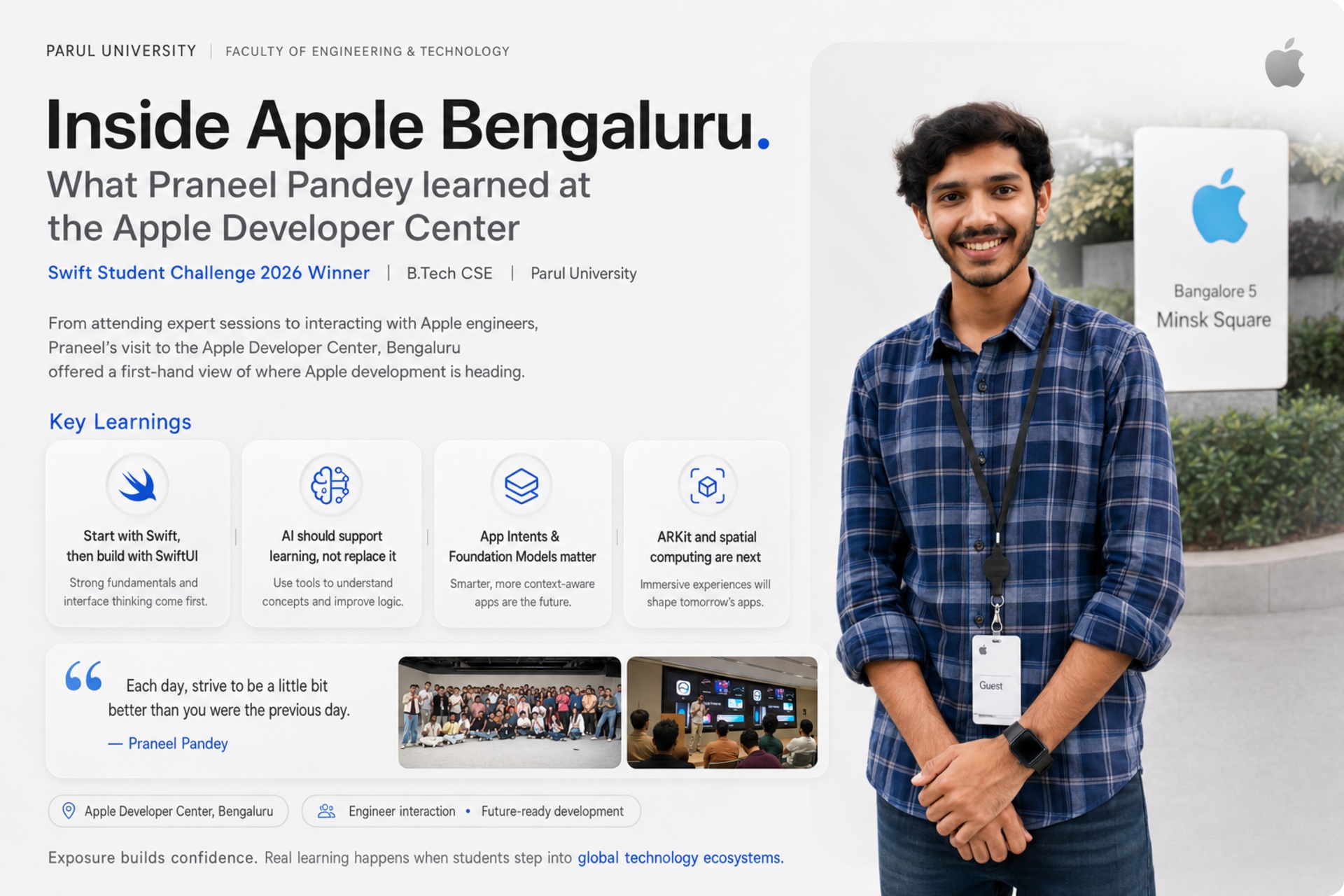
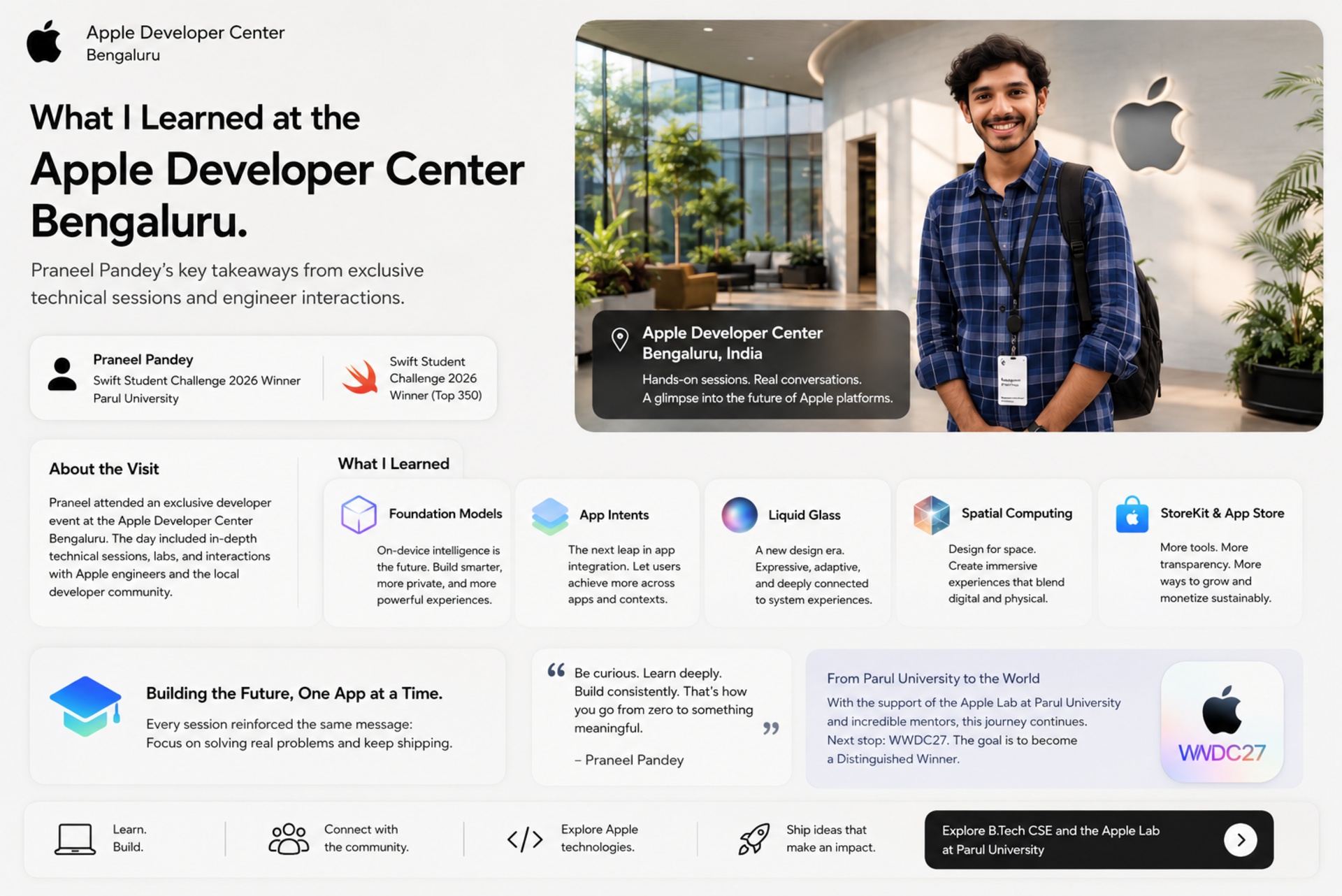
It was a memorable moment; the win and celebration will be one of the greatest achievements for Praneel. Post-win, he got an opportunity to visit the Apple Developer Centre in Bengaluru, Apple’s developer facility in India, where engineers were there, working. They glimpsed the developments Apple had announced at its 2026 Worldwide Developers Conference.
Several stood out, and each points to a direction the platform is moving in.
- Foundation Models for intelligent apps: Apple’s on-device model capabilities, which let developers build apps that understand user behaviour and offer a more personalised experience. This is Apple bringing AI directly into the developer toolkit.
- App Intents and App Schemas: frameworks that let an app integrate more deeply with Siri and Apple services so that an app’s features become available through the assistant rather than only inside the app.
- Liquid Glass: a modern Apple design language for building responsive, visually refined interfaces across Apple products and a signal of where interface design is heading.
- Modern developer tooling: faster prototyping, alongside StoreKit and App Store updates and distribution strategies that shape how developers ship and sell what they build.
According to Praneel’s point of view and reading, the patterns across the tools is intelligence and integration. Apps that understand their users and that merge into a wider space of Apple’s ecosystem rather than keeping a part in isolation. For a fresher the takeaway is that basics require to be cleared first, but the frontier worth watching is the point where app development meets on-device AI.
Spatial Computing and the Next Frontier
The area Praneel was most animated about was spatial computing, Apple’s term for the blend of digital content and physical space that underpins augmented reality and immersive experiences. At the Apple Developer Center in Bengaluru, he had the chance to present his winning Swift Student Challenge project, Blink Break, to Apple engineers and to discuss how spatial and augmented-reality technologies are being built into future applications.
The value of that, for him, was seeing how real products are designed and refined, feedback he could not have got any other way. For a student, spatial computing is worth understanding not because a beginner should start there but because it is where a meaningful part of Apple’s future development is heading and because the AR foundations, ARKit among them, are learnable now.
It is also where his own trajectory points. His stated goal is to keep building toward next-generation technologies, artificial intelligence, spatial computing and augmented-reality development, using Apple’s newest frameworks to build apps that solve real problems. That is a natural continuation of an eye-tracking game built on ARKit, and it connects directly to facilities like the Extended Reality and Game Lab among Parul University’s technology labs.
Praneel is generous in crediting the people behind the experience. He thanks the Apple engineers who mentored him at the Bengaluru centre, Ashok Prabhu, Ashutosh Vashishtha, Sandhya K., Mukund Srinivasan and Karthik Sarve, for feedback on his code and augmented-reality implementation that he says he will carry into future projects. Closer to home, he credits his Parul University faculty mentor Umang Panchal and the university’s leadership, Dr. Parul Patel, Dr. Devanshu Patel and Dr. Vaibhav Gandhi, for backing his potential early and pushing him to build things that matter.
The Real Barrier Is Not Skill. It Is Confidence.
The most broadly applicable thing Praneel said has nothing to do with Swift. Asked what holds students back, his answer was confidence, and his analysis of it is worth quoting in substance.
Students often avoid opportunities, he observes, because they believe they do not know enough or have enough experience yet. His counter is that confidence is not an innate trait that some people are born with. It is a product of experience and exposure, which means it is built rather than possessed, and the only way to build it is to show up before you feel ready.
So he pushes students toward workshops, conferences, hackathons and developer meetups precisely when they feel underprepared, because that feeling is not a reason to stay away; it is the condition everyone starts in. As he puts it, sometimes simply being in the right place is where success begins. It is not a coincidence that a first-year student who entered a global Apple competition he had no obvious business entering is the one making this argument.
“Don’t keep thinking about what to do or what others will say. Just do it. Don’t be afraid of making mistakes. Sometimes being fearless and willing to learn is the biggest advantage.” – Praneel Pandey
A note on effort, since his own account includes it. In the final stretch of building his Challenge entry he worked in a concentrated sprint of long days for roughly a month, sustained, he says, by genuine curiosity about what he was building rather than by obligation. That is his description of one short push on a competition deadline, not a standard to measure yourself against. His actual advice to beginners is the opposite, and it opens this guide: start small, and let momentum do the work.
The Beginner's Roadmap, in Short
Pulled together, Praneel’s guidance for getting started with Apple development is a short, ordered list. It is deliberately unglamorous, which is its strength.
- Start small. Learn the fundamentals through introductory material before touching the wider ecosystem.
- Learn Swift first and then SwiftUI and then the specialised frameworks such as ARKit and SpriteKit as you need them.
- Treat UX design as a core skill, not an afterthought, because Apple rewards how an app feels to use.
- Use AI tools to learn faster and clear doubts, but never to replace your own understanding of the technology.
- Watch where the platform is heading: on-device AI through foundation models, deeper integration through app intents, and spatial computing, but build the fundamentals first.
- Show up before you feel ready. Confidence is built through exposure, not waiting.
Praneel keeps a personal version of the same idea, which doubles as a decent summary of how he got from zero Swift to an Apple win in a single year.
“Each day, strive to be a little bit better than you were the previous day.” – Praneel Pandey
FAQs
How can one start with Apple development?
Praneel Pandey, a student of Parul University who won the 2026 Swift Student Challenge, briefs it by sharing tips such as 'Start no matter what; the progress will be small, but start it anyway. Don't jump into learning the whole ecosystem at once.’ Work on basics through the introductory materials available; learning Swift comes next, followed by SwiftUI for interfaces, then specialised frameworks such as ARKit and SpriteKit as projects require them. He also treats user experience design as a core skill and recommends using AI tools to learn concepts and clear doubts, without depending on them.
What should you learn first for iOS and Apple development? What tools or software should one learn first?
One should start with learning Swift, the programming language, it is the foundation, followed by SwiftUI and Apple's framework for building interfaces. Praneel Pandey then points to user experience design, ARKit for augmented-reality and camera features, and SpriteKit for games. His principle is that the language and interface come before specialised frameworks, which are best learned when you have a project that needs them.
Can you learn Apple development without owning a Mac?
Yes, with structured access. Praneel Pandey did not own a Mac when he built his winning Swift Student Challenge entry. He used Parul University's Apple Lab for a month-long hands-on intensive, along with the university's Swift Coding Club and training through an Apple Authorized Training Center. The hardware requirement is a logistics problem to solve through a lab, club or training centre rather than a reason not to begin.
Does using AI tools like ChatGPT to learn coding help beginners or not?
The student who won the Swift Student Challenge 2026 believes that using AI tools for learning purposes is helpful. Using it as a learning tool is going to elevate the perspective; don't use it as a replacement for understanding. He also warned that one should not rely on it.
What was announced at WWDC 2026 for developers?
Based on the developer session Praneel Pandey attended after his Swift Student Challenge win, key WWDC 2026 themes included Foundation Models for building intelligent, personalised apps, App Intents and App Schemas for deeper Siri and Apple-services integration, Liquid Glass as a modern design language for responsive interfaces, and updates to developer tooling, StoreKit and App Store distribution. The overall direction he identified was toward apps that understand their users and integrate across the Apple ecosystem.
What is spatial computing in Apple development?
Spatial computing is Apple's term for blending digital content with physical space, the foundation of augmented reality and immersive experiences. Praneel Pandey, who presented his eye-tracking Swift Student Challenge project to Apple engineers, describes it as one of the most exciting frontiers in Apple development. For beginners, the augmented-reality foundations, including ARKit, are learnable now, even though most developers should build core Swift skills first.